
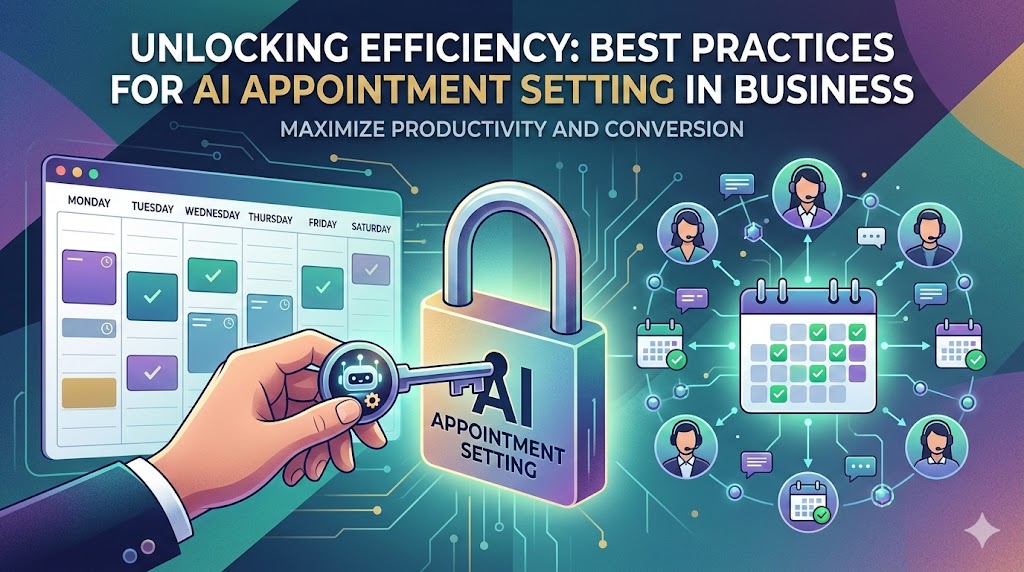
Maximizing Your Schedule: AI Appointment Setting Best Practices
Let’s be honest, in today’s fast-paced business world, your time is gold. Juggling lead follow-ups, scheduling meetings, and trying to actually do the work can feel like a circus act. What if I told you there’s a way to significantly lighten that load, boost your efficiency, and even improve your customer interactions? Enter the magical realm of AI appointment setting. It’s not science fiction anymore; it’s a powerful tool that’s revolutionizing how businesses manage their calendars. But like any powerful tool, you need to know how to wield it effectively to get the most out of it. So, buckle up as we explore the absolute best practices for AI appointment setting, ensuring your schedule is fuller and your business runs smoother than ever.
Why AI Appointment Setting is a Game-Changer for Your Business
Think about the sheer volume of manual work that goes into scheduling. The back-and-forth emails, the missed calls, the calendar clashes – it’s enough to make anyone want to pull their hair out! AI appointment setting cuts through all that noise, bringing a level of sophistication and efficiency that was previously unimaginable. It’s not just about booking appointments; it’s about transforming your entire lead management and customer engagement process.
The Efficiency Boost: Saving Time and Resources
This is arguably the most immediate and tangible benefit. How many hours do your sales or admin teams spend on the phone, sending emails, and updating calendars? AI can automate a massive chunk of this. Imagine your AI assistant handling all the initial contact, finding mutually agreeable times, and sending confirmations, all while your team focuses on high-value tasks like closing deals or serving existing clients. It’s like having an extra team member who never sleeps, never takes a break, and is incredibly precise. This frees up your human resources to concentrate on what they do best, driving revenue and fostering deeper client relationships.
Enhanced Customer Experience: Personalized and Instant Responses
Gone are the days of waiting hours for a response. AI appointment setters can engage with potential clients instantly, 24/7. More importantly, the best AI tools are designed to understand context and respond in a natural, conversational way. They can gather initial information, answer basic questions, and guide prospects through the booking process with a personalized touch. This immediate, helpful interaction creates a positive first impression and demonstrates that you value your potential customers’ time and engagement. It’s like having a super-efficient, always-available concierge for your business.
Reduced No-Shows: Proactive Reminders and Rescheduling Options
We’ve all experienced the frustration of a no-show. It’s wasted time and lost opportunity. AI appointment setting can significantly combat this. By sending timely, automated reminders – and crucially, offering easy one-click rescheduling options – AI ensures that clients are kept informed and have the flexibility to adjust if needed. This proactive approach not only reduces last-minute cancellations but also minimizes the administrative burden of chasing down no-shows or attempting to reschedule manually. It’s a win-win: better for your business, and more convenient for your clients.
Choosing the Right AI Appointment Setting Tool: Key Considerations
With the market flooded with options, picking the right AI appointment setter can feel overwhelming. It’s not a one-size-fits-all situation. You need to find a tool that aligns perfectly with your business needs, existing infrastructure, and growth aspirations.
Integration with Your Existing CRM and Calendar
This is non-negotiable. A standalone AI tool that doesn’t talk to your Customer Relationship Management (CRM) system or your team’s calendars will create more problems than it solves. Seamless integration means that new leads, booked appointments, and client data flow effortlessly between systems. Think of it like plumbing – if it’s not connected properly, nothing works! Ensure the AI tool can sync with your Google Calendar, Outlook, Salesforce, HubSpot, or whatever your current ecosystem looks like.
Customization Options: Tailoring to Your Brand and Workflow
Your business is unique, and your AI appointment setter should reflect that. Look for tools that allow for a high degree of customization. This includes the AI’s persona – its name, tone of voice, and even its avatar (if applicable). You’ll also want to customize the questions it asks, the booking rules (e.g., buffer times between appointments, available hours), and the follow-up sequences. This ensures the AI acts as an authentic extension of your brand, not a generic robot.
AI Capabilities: Natural Language Processing and Learning
At the heart of any good AI appointment setter is its ability to understand and process human language – that’s Natural Language Processing (NLP). The better its NLP, the more natural and less robotic the conversations will feel. Does it understand nuances, intent, and context? Some advanced tools even have machine learning capabilities, meaning they get smarter and more efficient over time as they process more interactions. This is where the “intelligence” in AI truly shines.
Scalability and Pricing: Growing with Your Business
Consider your current needs and your future growth plans. Can the AI tool scale with your business? Will it accommodate more users, more appointments, or more complex workflows as you expand? Pay close attention to the pricing structure. Is it based on usage, features, or a flat monthly fee? Ensure the pricing is transparent and offers good value for money, allowing you to maximize your ROI without breaking the bank.
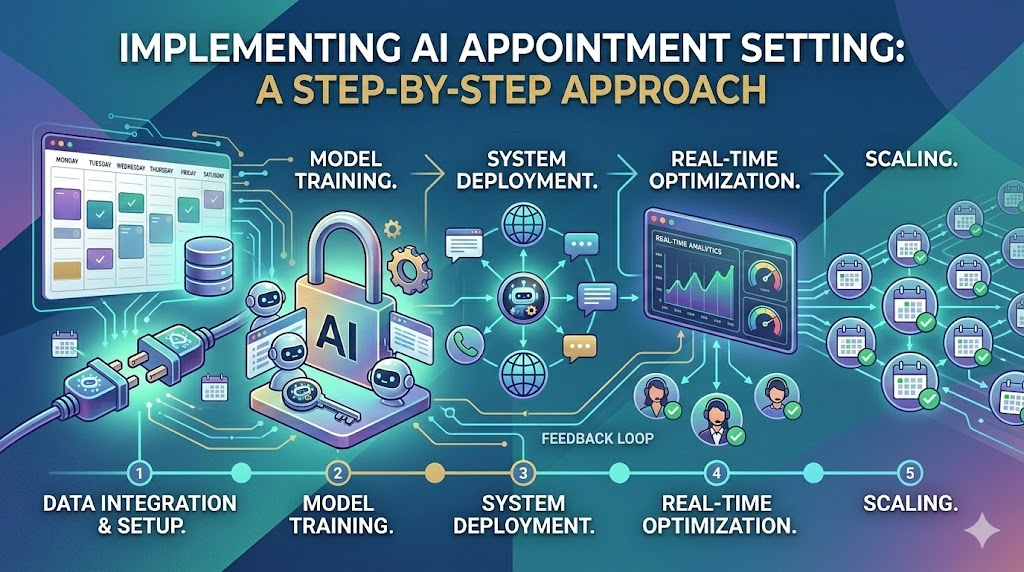
Implementing AI Appointment Setting: A Step-by-Step Approach
Getting an AI appointment setter up and running effectively requires a strategic approach. It’s not just about plugging it in and walking away. Think of it as introducing a new, highly capable member to your team.
Define Your Goals and Target Audience
Before you even look at tools, ask yourself: What do you want to achieve with AI appointment setting? Is it to increase the number of qualified leads booked, reduce administrative overhead, improve customer satisfaction, or a combination? Also, who are you targeting? Understanding your ideal customer will help you tailor the AI’s communication style and the information it gathers.
Select and Configure Your AI Tool
Once you’ve chosen the right tool based on the considerations above, it’s time for setup. This is where the magic starts to happen, but it requires careful attention to detail.
Setting Up Automated Workflows
This is the engine of your AI appointment setter. You’ll define the specific sequences of actions the AI takes. For example:
- Initial Contact: How does the AI first engage with a lead? (e.g., via chat widget, email reply)
- Information Gathering: What questions does it need to ask to qualify the lead and understand their needs?
- Availability Check: How does it cross-reference calendars to find suitable times?
- Booking Confirmation: What details are confirmed, and what confirmation message is sent?
- Follow-up: What happens after the appointment is booked? (e.g., pre-meeting information, reminder emails)
Defining AI Persona and Tone of Voice
This is crucial for that human-like interaction. Do you want your AI to be formal and professional, or friendly and casual? Does it have a name? This consistency builds trust and makes the AI feel like a genuine part of your team. For instance, a high-end luxury brand might opt for a more sophisticated and formal AI persona, while a trendy startup might prefer something more energetic and conversational.
Train Your AI (If Applicable)
Some advanced AI tools allow for a training period. This might involve feeding the AI example conversations, common questions, and desired responses. The more data and feedback you provide, the better the AI will become at understanding and responding accurately to your specific business context. It’s like coaching a new recruit!
Integrate with Your Team’s Workflow
Ensure your human team knows how the AI works, what its capabilities are, and how to handle handoffs. For example, if the AI can’t answer a complex query, it should smoothly transfer the conversation to a human agent. Clear communication and defined roles are essential for a harmonious blend of human and AI efforts.
Test and Refine: Continuous Improvement
Launch is just the beginning! Continuously monitor the AI’s performance. Are conversations flowing naturally? Are appointments being booked efficiently? Are there any recurring issues or misunderstandings? Use the data and feedback to tweak workflows, refine responses, and update the AI’s knowledge base. This iterative process is key to maximizing its effectiveness.
Mastering the Art: AI Appointment Setting Best Practices in Action
Beyond the technical setup, there are nuanced strategies that elevate your AI appointment setting from functional to phenomenal.
Personalization is Key: Beyond Generic Scripts
While AI excels at automation, true personalization makes the difference. Don’t let your AI just churn out generic greetings. Use the data you have (from your CRM, website interactions) to personalize the conversation. Address the prospect by name, reference their industry or specific pain points, and tailor the questions and solutions to their unique situation. It’s the difference between a templated email and a handwritten note – one feels robotic, the other feels cared for.
Leveraging Data for Smarter Scheduling
Your AI appointment setter is a data-gathering powerhouse. Use the information it collects – lead source, interest level, availability patterns – to optimize your sales and marketing efforts. For example, if you notice a particular AI-driven campaign is generating high-quality appointments, double down on that. If certain times of day consistently result in cancellations, adjust your AI’s availability accordingly.
The Human Touch: When to Involve a Human Agent
AI is incredible, but it’s not (yet) a replacement for human empathy and complex problem-solving. Define clear escalation paths. If a prospect expresses significant frustration, asks a highly technical question outside the AI’s knowledge base, or simply requests to speak to a human, the AI should smoothly transfer them. This ensures that no potential client falls through the cracks due to AI limitations. It’s about augmentation, not just automation.
Handling Objections and FAQs with Grace
Your AI should be programmed to anticipate common objections and frequently asked questions. Can it gracefully handle questions about pricing, services, or availability? Training your AI to address these proactively, or to answer them clearly when asked, can save valuable time and prevent potential clients from disengaging.
Facilitating Seamless Rescheduling and Cancellations
Life happens! A robust AI appointment setter makes it incredibly easy for clients to reschedule or cancel without hassle. Provide clear links or prompts within the conversation. This not only improves the customer experience but also ensures your calendar remains as accurate as possible, allowing you to fill those freed-up slots quickly.
Gathering Feedback for Continuous Improvement
After an appointment, or even after a failed booking attempt, consider asking for a brief feedback. What could have made the process better? This feedback loop is invaluable for refining your AI’s performance and understanding customer sentiment. Even a simple “How was your experience booking this appointment?” can yield significant insights.
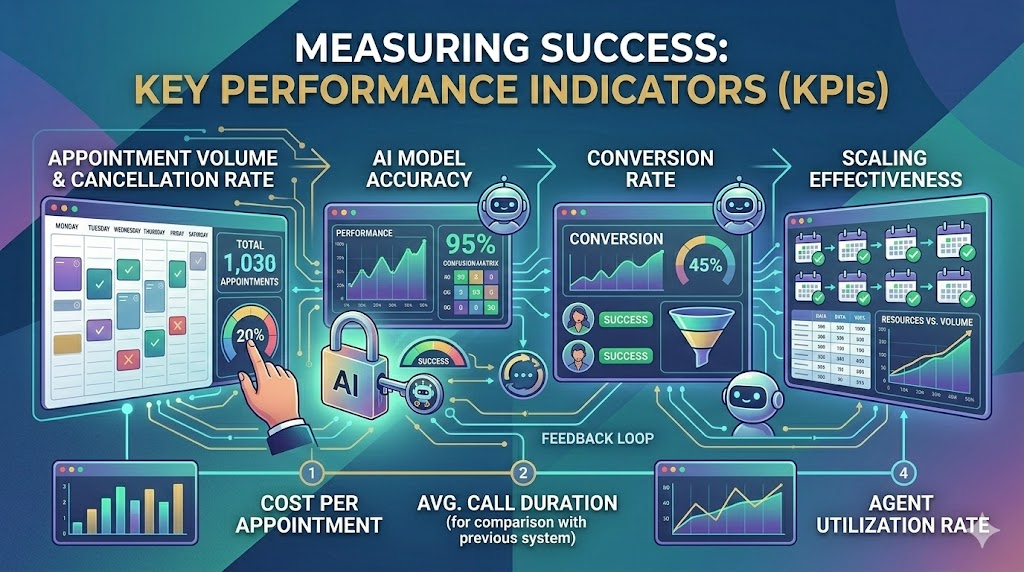
Measuring Success: Key Performance Indicators (KPIs)
How do you know if your AI appointment setting strategy is actually working? You need to track the right metrics.
Appointment Booked Rate
This is the most straightforward: what percentage of leads who interact with your AI actually book an appointment? A higher rate indicates your AI is effective at guiding prospects towards a booking.
Conversion Rate (from lead to booked appointment)
This metric goes a step further, looking at the percentage of all leads (not just those who interact with the AI) that result in a booked appointment. It helps you understand the AI’s impact on your overall lead nurturing process.
Customer Satisfaction Scores (CSAT)
Are your clients happy with the AI-driven booking experience? Implementing post-appointment surveys or gathering feedback directly after the booking process can reveal this. High CSAT scores suggest your AI is providing a positive and helpful interaction.
Reduction in Administrative Overhead
Quantify the time and resources saved. How many hours per week or month are your staff no longer spending on manual scheduling tasks? This directly impacts your bottom line and highlights the efficiency gains.
The Future of Appointment Setting: Evolving with AI
The capabilities of AI are constantly advancing, and appointment setting is no exception. We’re moving beyond simple scheduling to more sophisticated applications.
Predictive Scheduling and Optimized Resource Allocation
Imagine AI that not only schedules appointments but also predicts the likelihood of a lead converting based on their interaction, or forecasts peak demand times to optimize your team’s schedule and resource allocation proactively.
Deeper Personalization and Emotional Intelligence
Future AI will likely possess even greater emotional intelligence, understanding sentiment and nuances in conversation to provide an even more human-like and empathetic booking experience. This could lead to incredibly tailored and high-converting interactions.
Conclusion: Embrace the AI Revolution for a Fuller Schedule
AI appointment setting is no longer a futuristic concept; it’s a present-day necessity for businesses looking to thrive. By implementing these best practices – from choosing the right tool and setting it up strategically to personalizing interactions and continuously refining performance – you can unlock unparalleled efficiency, elevate your customer experience, and, most importantly, fill your calendar with high-quality opportunities. It’s about working smarter, not harder, and letting technology empower you to focus on what truly drives your business forward. So, are you ready to embrace the AI revolution and watch your schedule (and your business) flourish?
Frequently Asked Questions (FAQs)
- Can AI appointment setting truly replace a human scheduler?
While AI can automate a vast majority of scheduling tasks and often performs them more efficiently, it’s best viewed as an augmentation tool. For highly complex, sensitive, or nuanced situations, human intervention remains invaluable for empathy and complex problem-solving. - How do I ensure my AI appointment setter sounds “human” and not robotic?
This involves careful selection of AI tools with strong Natural Language Processing (NLP) capabilities, defining a clear and consistent AI persona (name, tone, vocabulary), and customizing its responses to align with your brand’s voice. Regular review and refinement based on real interactions are also key. - What is the most crucial factor when integrating an AI appointment setter with my existing systems?
Seamless integration with your CRM and calendar systems is paramount. Without it, you’ll create data silos and manual workarounds, defeating the purpose of automation and efficiency. - How can I measure the ROI of an AI appointment setting tool?
Track key metrics like the appointment booked rate, conversion rates from lead to appointment, customer satisfaction scores, and the reduction in administrative hours. Comparing these before and after implementation will clearly demonstrate the return on investment. - Is AI appointment setting only suitable for large enterprises?
Absolutely not! While large enterprises can benefit significantly, AI appointment setting tools are increasingly accessible and scalable for small to medium-sized businesses (SMBs). Many offer tiered pricing and features that make them an affordable and powerful solution for businesses of all sizes looking to optimize their scheduling.
Pingback: Agentic AI and Pindrop: Exploring the Transformative Impact on Digital Anonymity
Pingback: What Is the AI Laura Model? A Game-Changer in AI Technology